
Deploy the local TACACS+ server container using Docker on Linux
In this topic, you will learn how to deploy the Portnox™ Cloud local TACACS+ server container using Docker on a local Linux machine (physical or virtual).
Read the following important information before you begin:
-
We assume that the Linux machine is already installed, configured, updated, and connected to the local network. This guide includes only the installation and configuration of Docker and the Portnox Cloud local TACACS+ server container.
Install Docker
In this section, you will learn how to install Docker on the Linux machine.
Skip this section if Docker is already installed.
Run the Portnox Cloud local TACACS+ server container
In this section, you will learn how to deploy the local TACACS+ server Docker container locally to the Linux machine.
To run the local TACACS+ container, you can copy the command directly from Portnox Cloud or create it manually using the instructions below. Note that the command copied from Portnox Cloud does not include certain options, such as a Docker volume to save local server data,. To proceed with the standard configuration, click on the ⧉ Copy command link. Otherwise, follow the steps below to customize the command. If the command is not there, make sure that you Generate a Portnox Cloud TACACS+ Gateway Token first.
sudo prefix at the beginning, as this prefix is required for Linux
systems.Result: Your local TACACS+ server is active.
You can check its status in Portnox Cloud, in the section.

Automatically update an existing local server container
In this section, you will learn how to automatically update your Docker container to the latest version by deploying another Docker container: portnox-autoupdate.
-
Get an API token from Portnox Cloud:
-
Click on the ⧉ button to copy the code and store it in a safe
place.
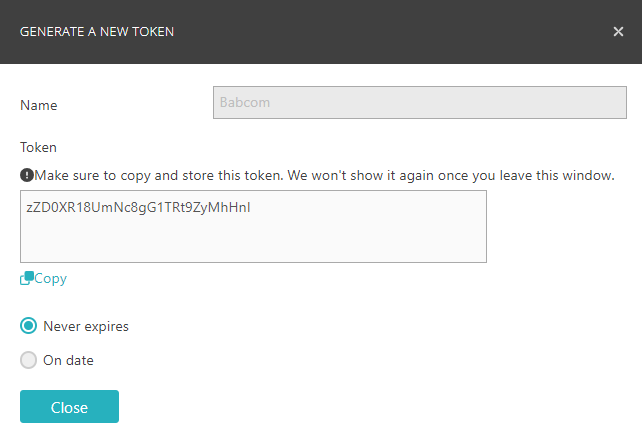 Important:You will not be able to access this code again after closing this window.
-
Click on the ⧉ button to copy the code and store it in a safe
place.
Remove an existing local TACACS+ container
In this section, you will learn how to manually remove an existing local TACACS+ container.