
VPN – WatchGuard Fireware
In this topic, you will learn how to configure WatchGuard Fireware Mobile VPN to work together with Portnox™ Cloud and 802.1X RADIUS authentication for VPN connections.
Important:
This guide gives general instructions for integrating Portnox Cloud with
specific third-party devices. We try to provide useful examples for common models, but settings can differ between
manufacturers, models, and environments. Because of this, we cannot guarantee these steps will work in every case.
For questions or problems with RADIUS setup – which is an industry standard and not specific to Portnox – or with
device-specific settings and troubleshooting, we recommend checking the device manufacturer’s documentation and contacting
their support team. Portnox Support can help when possible, but detailed setup of third-party devices is usually best
handled by the manufacturer. We also recommend updating your NAS device firmware to the latest version, as old
firmware can cause issues.
Important:
All values in this configuration are examples. Make sure to adjust the
configuration to your individual profile names, RADIUS server addresses, ports, and keys by replacing the values that are
presented as underlined italics.
Warning:
This topic contains documentation prepared by our support agents more than 12 months ago. It
may not cover the newest models or the newest interfaces of NAS devices. We’re working on bringing you updated documentation
for NAS devices in the near future. However, the methods of setting up third-party devices may still change when the
manufacturers update their firmware or release new models.
-
In the WatchGuard Fireware web interface, navigate to to create a RADIUS authentication server configuration:
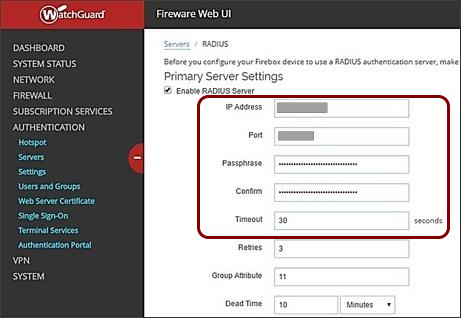
- Activate the Enable RADIUS Server checkbox.
- Enter your Cloud RADIUS details for RADIUS authentication (not accounting).
- Set Timeout to 30 seconds.
- Click on Save.
Configure an L2TP VPN
-
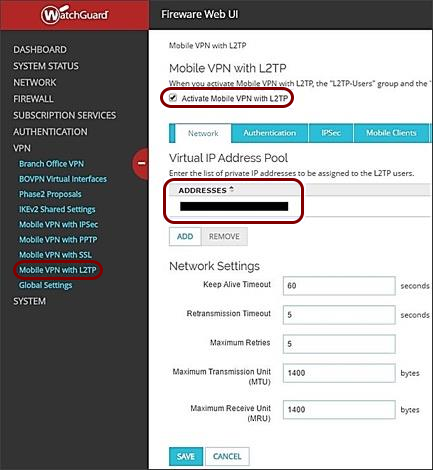
In the Network tab, add the desired Virtual IP Address Pool.
-
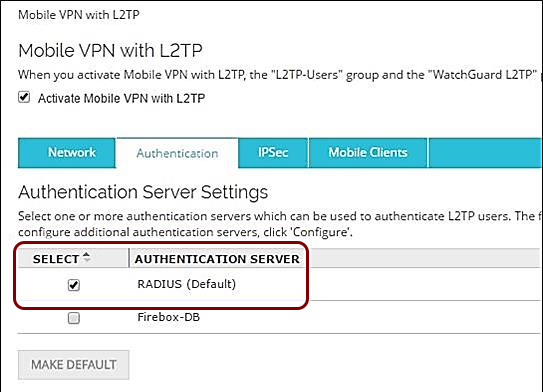
In the Authentication tab:
-
Select RADIUS as the Authentication Server.
-
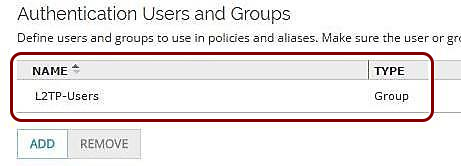
Make sure the Name of the VPN authentication group listed in WatchGuard Fireware is
identical to the name of the Portnox Cloud for VPN users.
-
Select RADIUS as the Authentication Server.
-
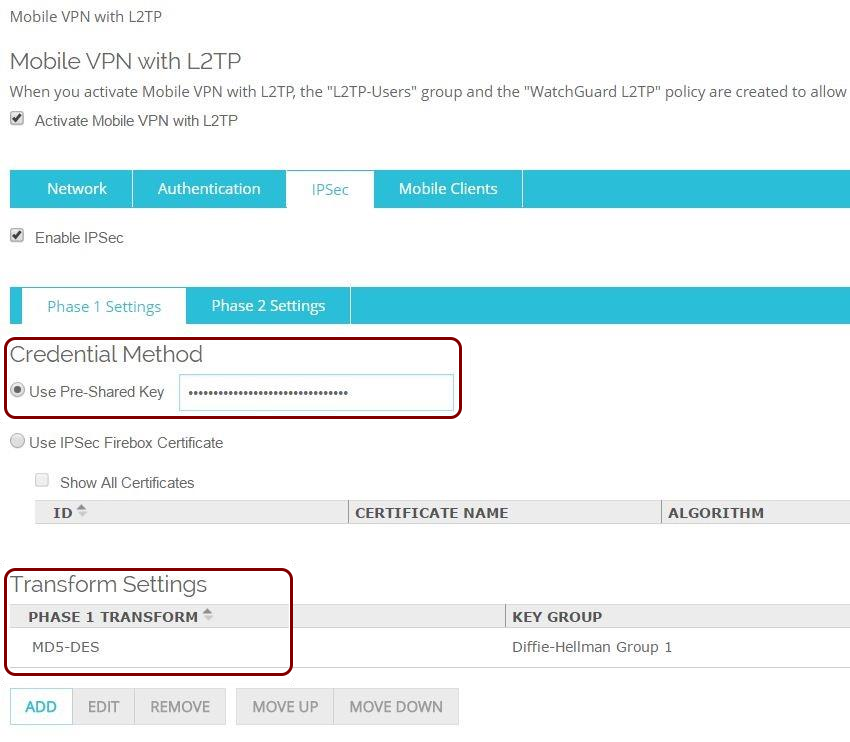
In the IPSec tab, activate the Enable IPSec checkbox, and configure
the following:
-
Select Use Pre-shared Key and enter the key that will be used for the L2TP
connection and select at least one Phase 1 Transform.
-
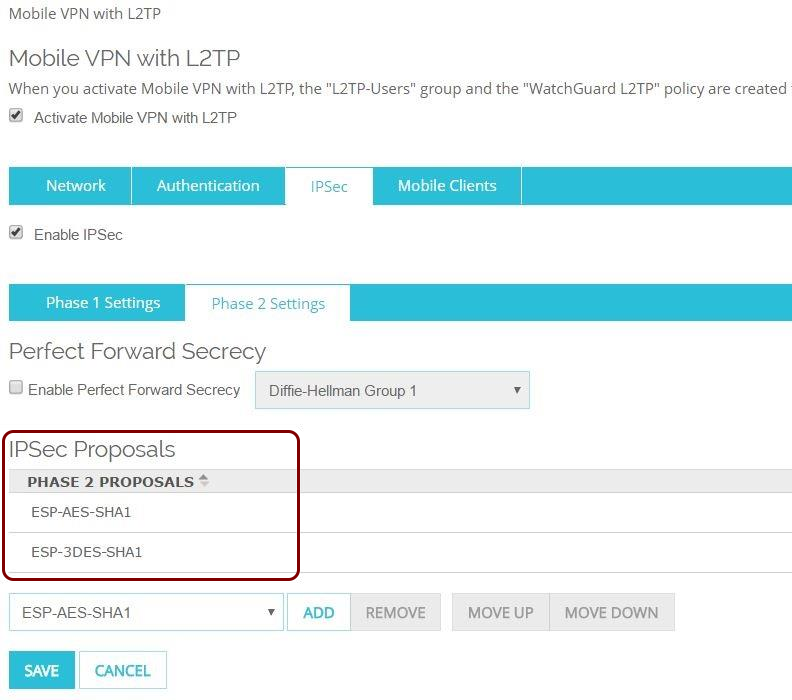
In the Phase 2 Settings tab, select at least one of Phase 2 IPSec
Proposals.
-
Select Use Pre-shared Key and enter the key that will be used for the L2TP
connection and select at least one Phase 1 Transform.
Configure an SSL VPN
-
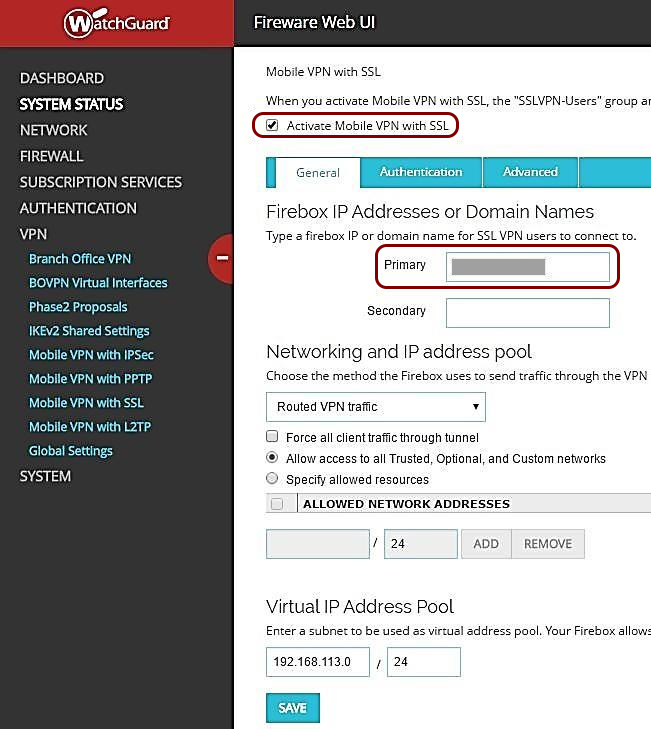
In the General tab, select the Primary IP address or domain name for
SSL users to connect to.
-
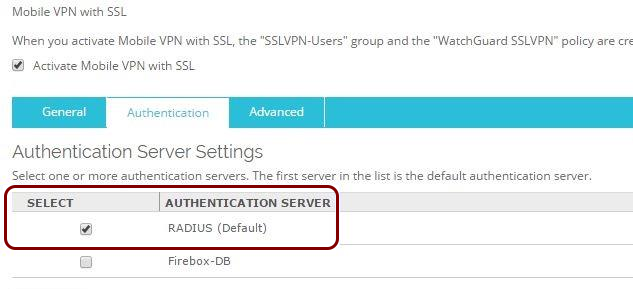
In the Authentication tab:
-
Select RADIUS as the Authentication Server.
-
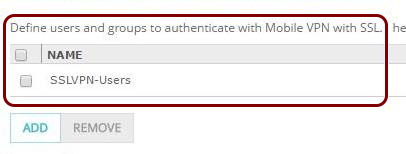
Make sure the Name of the VPN authentication group listed in WatchGuard Fireware is
identical to the name of the Portnox Cloud for VPN users.
-
Select RADIUS as the Authentication Server.