
Configure ZTNA for hosted resources with Azure container instances
In this topic, you will learn how to configure Portnox™ Zero Trust Network Access to allow your users to access your private web applications hosted in Microsoft Azure and accessible within an Azure private network, by using a Docker container in an Azure container instance.
In this scenario:
-
You want your on-premises and remote users to be able to access private web applications that are hosted in Azure.
-
You need to host a Portnox Docker container in Azure, for example, in Azure container instances, and in the same Azure virtual network as the hosted web applications.
We assume that you have already configured Azure, a virtual network in Azure, and that another container instance runs a web application, accessible via HTTP within your Azure local network. We also assume that you already distributed certificates to your client devices.
Set up the ZTNA gateway in Portnox Cloud
In this section, you will set up a ZTNA gateway in Portnox Cloud, create a container instance in Azure, and run the Portnox ZTNA Docker container.
-
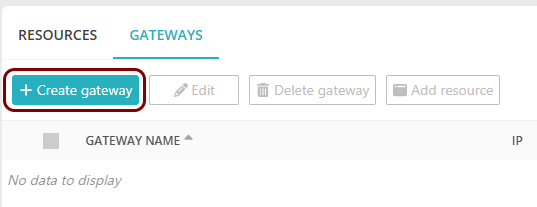
In the top menu of Portnox Cloud,
select the option. Then, on the Gateways screen, click on the + Create
gateway button.
-
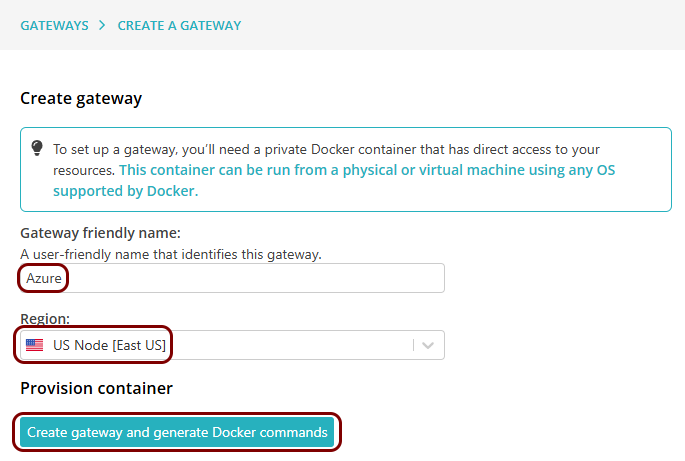
On the Create gateway screen, enter a name for this
gateway in the Gateway friendly name field, and in the Region field,
select either US Node or EU Node. Then, click on the Create
gateway and generate Docker commands button.
-
In the Provision container step, click on the
Copy command link under the displayed Docker command to copy the command to the
clipboard.
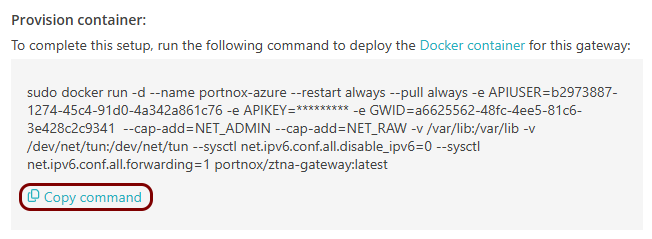
Then, save this command in a notepad. You will need it later.
-
Create an Azure container instance:
-
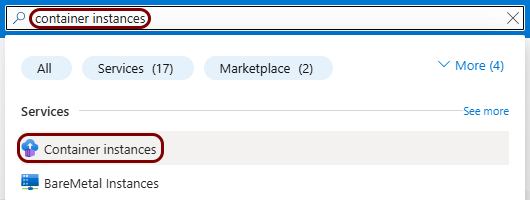
In the Azure portal, in the top-bar search field, type: container instances and then
click on the Container instances entry below.
-
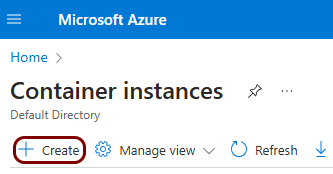
On the Container instances pane, click on the Create button
to create a new container instance.
-
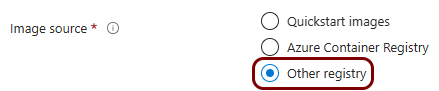
On the Create container instance pane, select and enter your details as required,
and in the Image source field, select the Other registry
option.
-
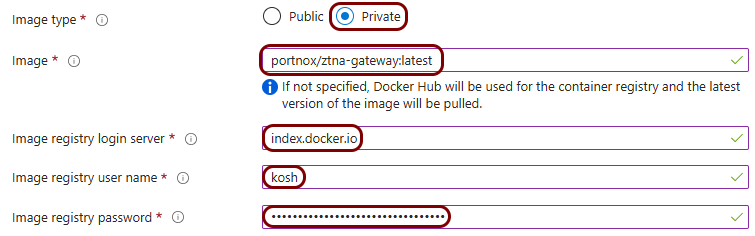
In the Image type field, select the Private option, in the
Image field, type portnox/ztna-gateway:latest, in the
Image registry login server, type index.docker.io, and in
the Image registry user name and Image registry password
fields, type your credentials for a free Docker Hub account.
Note:You can also select a Public registry, but Docker Hub has introduced a pull rate limit on Docker images, which may impact the creation of your container instance if not using a Docker Hub account.
-
In the Networking tab, select the existing virtual network, and in the
Ports section, delete the default port, enter port 41641,
and select protocol UDP.
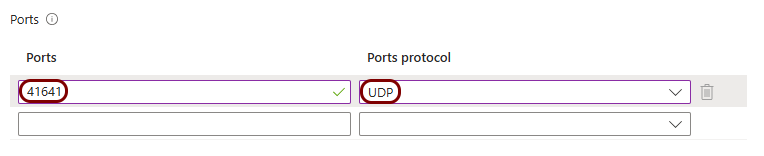 Important:Make sure to select the same virtual network that you use to host your web application. This is necessary so that the Docker image and the web application can communicate within the local network.
 -
In the Advanced tab, in the Environment variables section,
add the following environment variables:
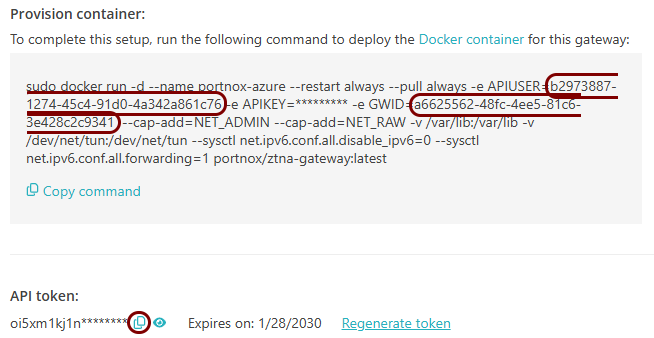
APIUSER The value in the Docker command after the APIUSER= string (see previous step) APIKEY The value copied from the API token section in Portnox Cloud by clicking the ⧉ icon. GWID The value in the Docker command after the GWID= string USERSPACE_NETWORKING 1 For example:
Docker command:
Environment variables:
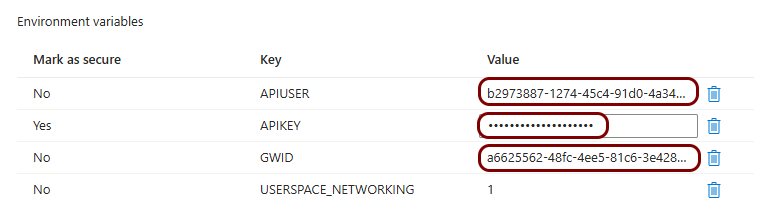
-
In the Azure portal, in the top-bar search field, type: container instances and then
click on the Container instances entry below.
Set up the ZTNA resource in Portnox Cloud
In this section, you will set up a ZTNA resource in Portnox Cloud and configure it to access your private web application hosted in the same virtual network as the Docker container.
-
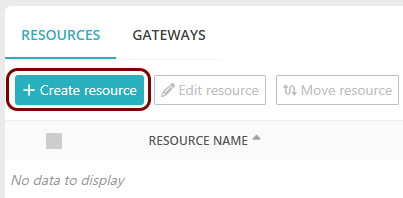
In the top menu of Portnox Cloud, select the option. Then, on the Resources screen, click on the + Create
resource button.
-
In the Resource type step, select the Hosted
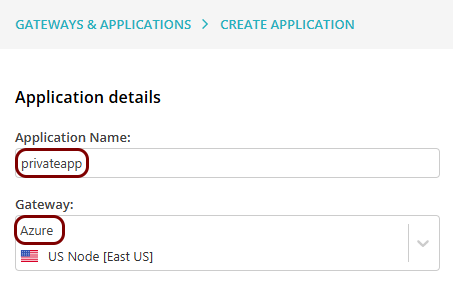
resource option, and then the Choose an existing gateway option. In the
Gateway field, select the gateway that you have just created.
Note:The Resource Name must be a valid subdomain name, because the URL will be constructed using this name. You should only use lowercase letters, digits, and hyphens.
-
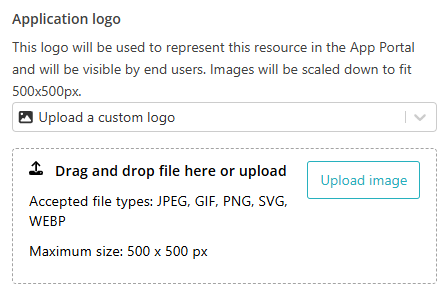
In the Application logo section, select one of the logos from the list, or select the
Upload a custom logo option and then click on the Upload image
button to upload a logo for the application. Then, click on the Next button.
The logo is used in the Secure Access Portal.
- Optional:
In the Details step, in the Resource Name
field, enter the name for this resource and optionally the Resource Description.
Note:The Resource Name must be a valid subdomain name, because the URL will be constructed using this name. You should only use lowercase letters, digits, and hyphens.

Result: If you want to use the Portnox URL, you can copy the URL for your resource by clicking on the ⧉ icon.
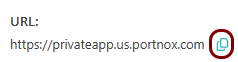 Note:Make sure to check if your web resource will accept connections when accessed using this URL. If your web security solution has an anti-CSRF feature, you will need to configure it to allow this URL.
 - Optional:
If you want to use a URL in your own domain for the resource:
-
Activate the Use a custom URL linked to an SSL certificate checkbox.

-
In the Upload SSL certificate section, click on the Select
file button, and upload the certificate and private key for the custom URL (in the PKCS #12 format). Then, enter the password
for the private key in the Certificate password field, and click on the
Apply certificate button.
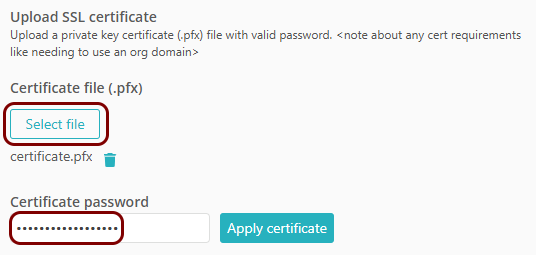 Note:You must acquire the specific subdomain certificate from the relevant certificate authority, or you can use a wildcard certificate for all your subdomains.
 -
Verify the details displayed for the certificate.

-
If you are using a certificate with multiple domains/subdomains or a wildcard certificate, in the
Domain field, select the relevant domain for your resource’s URL, and in the
Suffix field (if active – only for wildcard certificates), enter the
subdomain.
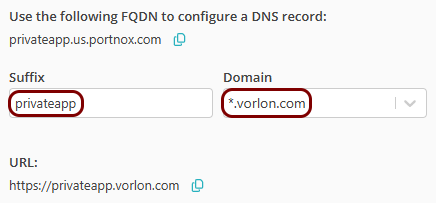
In this example, your resource URL will be: privateapp.vorlon.com.
-
Activate the Use a custom URL linked to an SSL certificate checkbox.
-
In the IP, port and protocol section, enter the details of the hosted web application in the
Hostname or IP Address, Port, and Protocol
fields.
Note:Use the IP address and port configured in your Azure instance that hosts your application. Ensure that the Docker container and the web application instance use the same Azure virtual network.
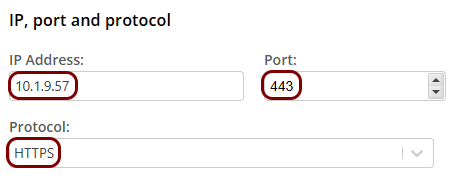 Note:If you select HTTP in the Protocol field, to access it using ZTNA you still use HTTPS, not HTTP. For example, http://privateapp.vorlon.com or http://privateapp.us.portnox.com will not work.
Result: Your users can now access your private resource by typing the URL in the browser.
Configure the hosted application access control policy
In this section, you will configure the access control policy for groups that you want to have access to this hosted application.
-
In the Cloud portal top menu, click on the Groups option.

-
Select a group that you want to configure, click on the ⋮ icon at the end
of the row that represents the group, and then select the Group policies option.
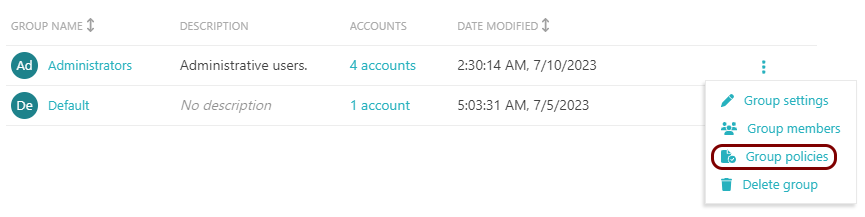 Note:Repeat this step and the next steps for any other groups that you want to be able to access hosted applications.