
Integrate with CrowdStrike Falcon
In this topic, you will learn how to set up the integration between Portnox™ Cloud and CrowdStrike Falcon.
User devices have AgentP installed.
Portnox Cloud is integrated with Microsoft Intune, and user devices have SCEP certificates containing the device’s Intune ID in the SAN field.
Portnox Cloud is integrated with Jamf, and user devices have SCEP certificates containing the device’s Jamf ID in the SAN field.
If none of these conditions are met, Portnox Cloud cannot obtain device risk information from CrowdStrike Falcon, and the integration will have no effect on risk assessment policies.
-
Obtain an API token from CrowdStrike Falcon:
-
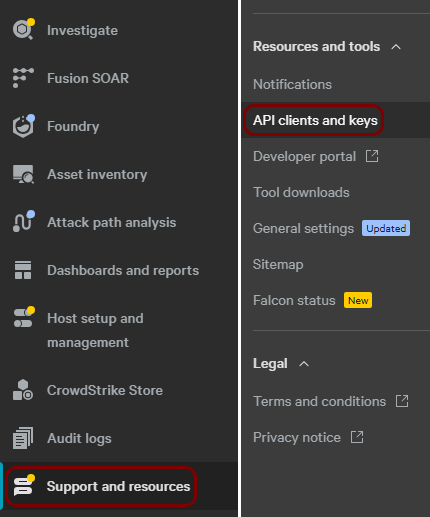
In the CrowdStrike Falcon main menu, navigate to .
-
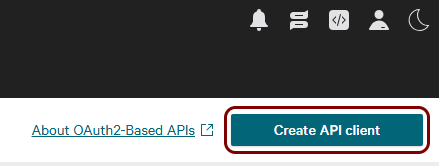
In the top-right corner of the OAuth2 API clients pane, click on the Create API
client button.
-
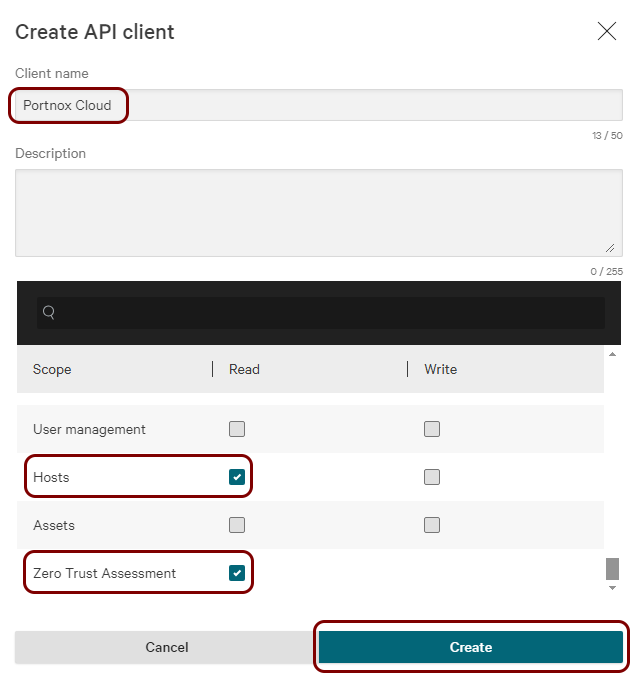
In the Create API client window, enter a Client name, and select
the following checkboxes in the Read column: Hosts and
Zero Trust Assessment. Then, click on the Create button.
Note:The Zero Trust Assessment permission is available only in CrowdStrike tiers that include the Zero Trust Assessment feature. Falcon Go does not include it, so the checkbox does not appear. The integration works without this permission but the ZTA Score attribute is not available, because CrowdStrike does not provide a score for these tenants.
-
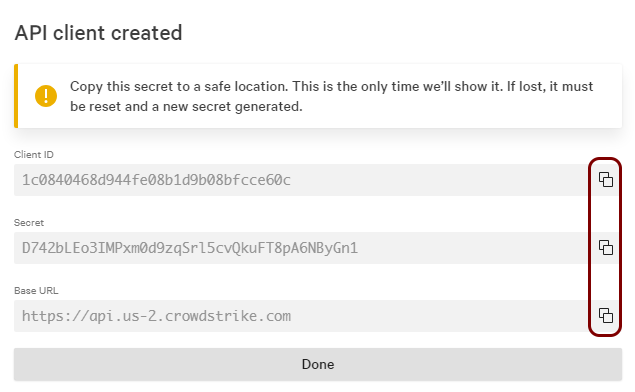
In the API client created window, copy all three values one by one to a temporary text
file by using the ⧉ icons.
-
In the CrowdStrike Falcon main menu, navigate to .
-
In the Cloud portal top menu, click on the Settings option.

-
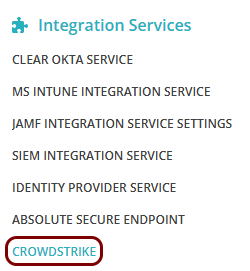
In the Cloud portal left-hand side menu, click on the option.
-
Enable CrowdStrike integration
-
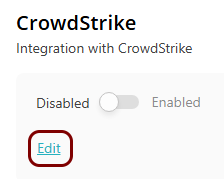
Under the CrowdStrike heading and description, click on the Edit
link.
-
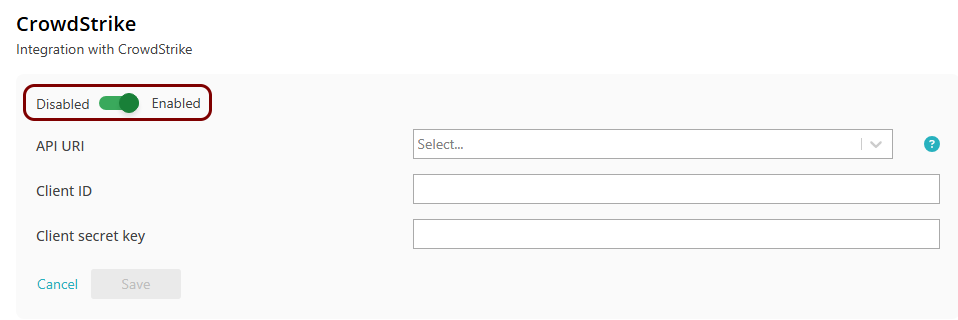
Click on the Disabled/Enabled switch to put it in the Enabled
position.
-
In the API URI field, select the same API URI as the one you copied earlier from
CrowdStrike Falcon, from the Base URL field.

-
In the Client ID field, paste the Client ID that you copied
earlier from CrowdStrike Falcon.

-
In the Client secret key field, paste the Secret that you copied
earlier from CrowdStrike Falcon.

-
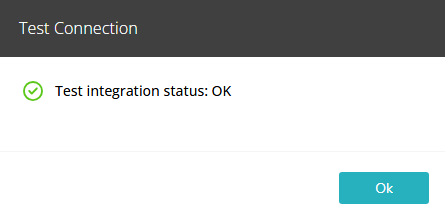
Click on the Test link to test your integration settings.
Note:We highly recommend testing this integration before using it in practice.
-
Under the CrowdStrike heading and description, click on the Edit
link.
Result: Your CrowdStrike Falcon integration is now active. Portnox Cloud will synchronize with CrowdStrike Falcon once an hour.