
Integrate with eduroam
In this topic, you will learn how to integrate Portnox™ Cloud with the eduroam service.
In a typical RADIUS setup, NAS devices at your site are configured to contact Portnox Cloud RADIUS servers to authenticate your users. With eduroam, this setup extends to other sites participating in your eduroam environment, such as partner institutions.
For example, if your institution’s network is protected by Portnox Cloud and uses eduroam, and your student visits a partner institution, their user identifier is recognized by the other institution’s RADIUS server as a foreign one, and the request is forwarded to the eduroam hierarchy. The hierarchy recognizes that the domain belongs to you, and the authentication request is routed through it to your Portnox Cloud RADIUS server for validation.
On the other hand, if a student from another eduroam institution visits your site and connects to your Wi-Fi, your Portnox Cloud RADIUS server recognizes that their domain is not yours. It forwards the request to the eduroam hierarchy, which routes it to the RADIUS server of the student’s home institution. The authentication is then completed by their institution’s RADIUS setup.
Request a unique public IP address from Portnox
To work with the eduroam service, your Portnox Cloud RADIUS server must have a unique public IP. In this section, you will learn how to request such an address from Portnox.
Result: The IP address in your Cloud RADIUS configuration is now different than it was when you created the cloud RADIUS server, and it is now a unique public IP address that you can use for eduroam integration.
Configure the RADIUS servers in your eduroam dashboard
In this section, you will learn how to configure your eduroam dashboard to work together with Portnox Cloud for RADIUS authentication.
-
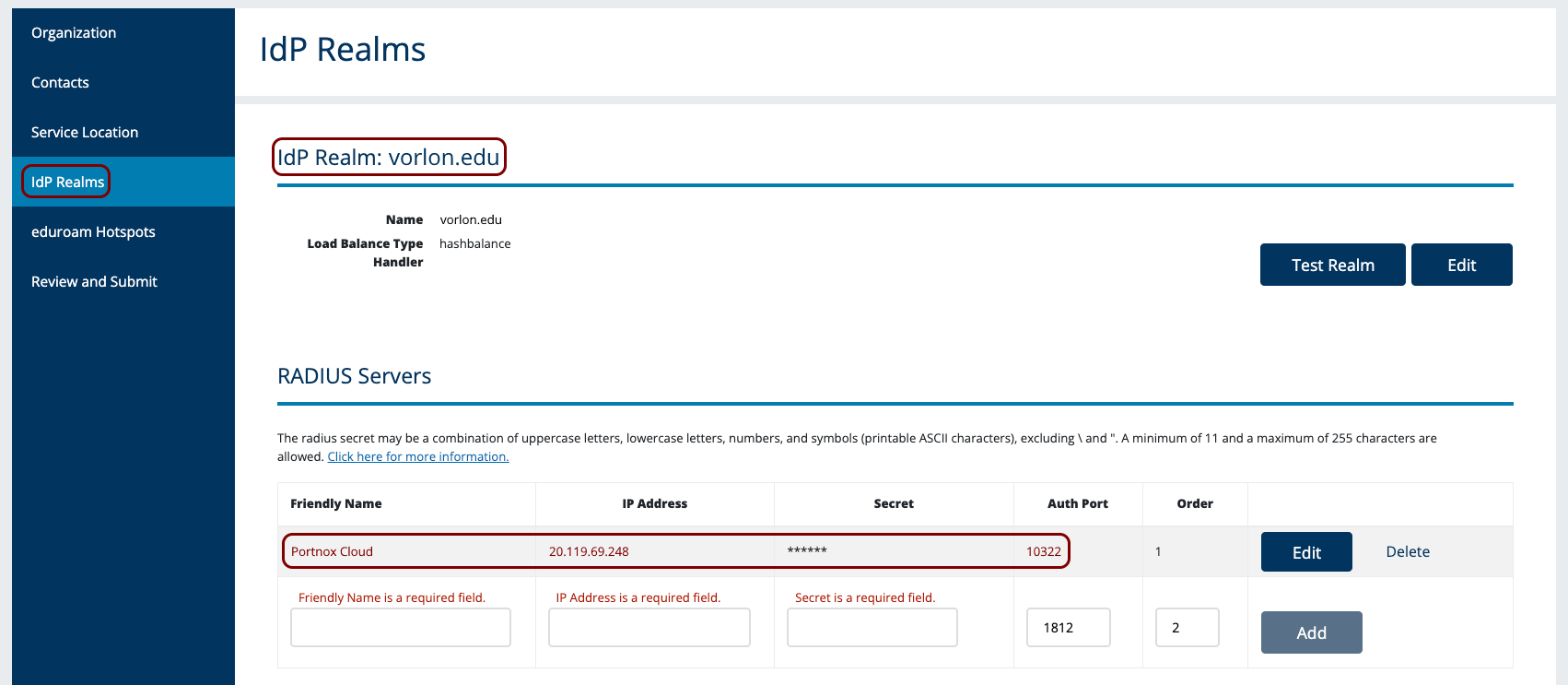
Configure eduroam to know that your institution’s domain is handled by the Portnox Cloud RADIUS server, and provide
connection details so that eduroam can forward authentication requests from other partner institutions to that
server.
-
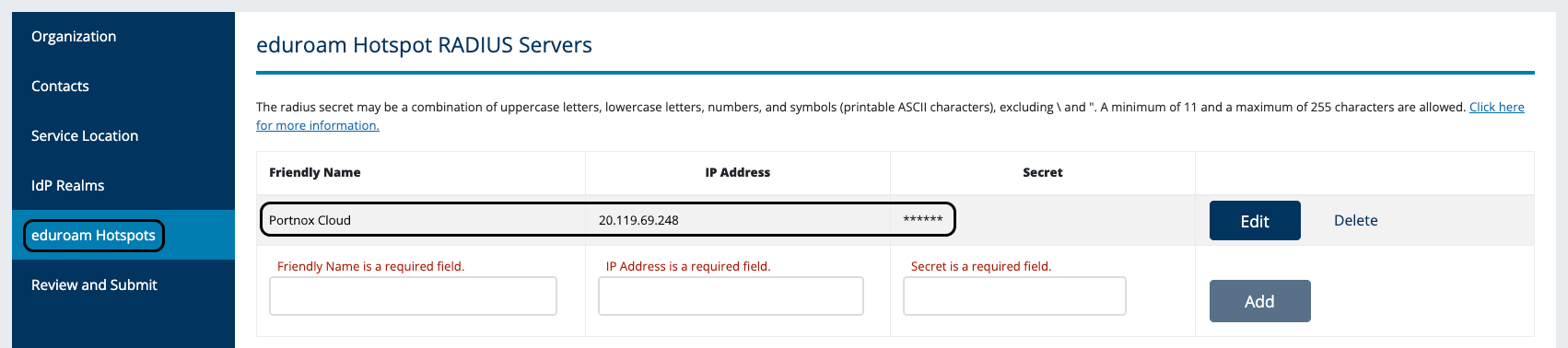
Configure eduroam to accept requests forwarded by the Portnox Cloud server when a student from a partner
institution connects to your network.
Configure RADIUS forwarding in Portnox Cloud
In this section, you will configure Portnox Cloud to forward RADIUS authentication requests for eduroam partner domains to the eduroam hierarchy, and to handle requests locally when they are for your own domain.
-
Find the eduroam RADIUS server’s IP address.
Before we can forward the requests to eduroam, we need to know the eduroam RADIUS server’s IP address.
Note:To find the IP address, you can use the nslookup command on Windows or another operating system. We will show you an example for Windows.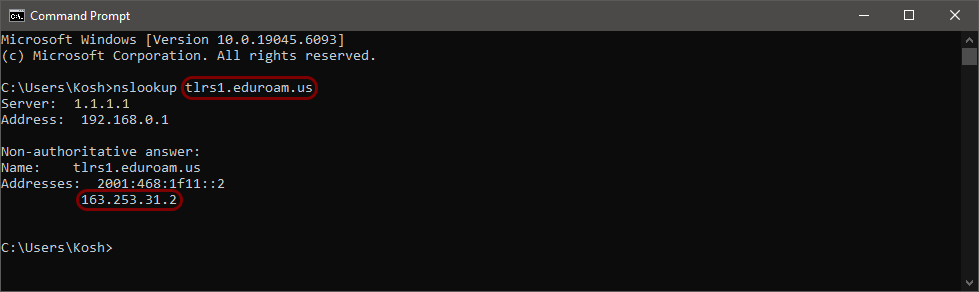
-
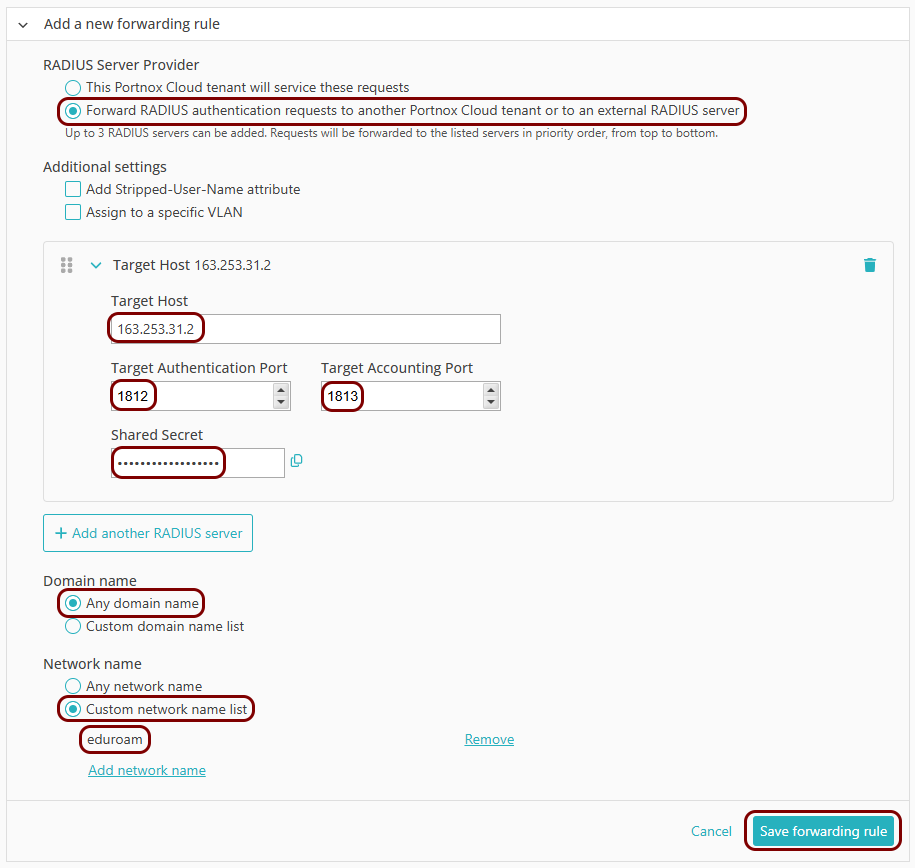
Create a forwarding rule to forward authentication requests for domains that are not yours.
-
Create a forwarding rule to process authentication requests for your domain locally.
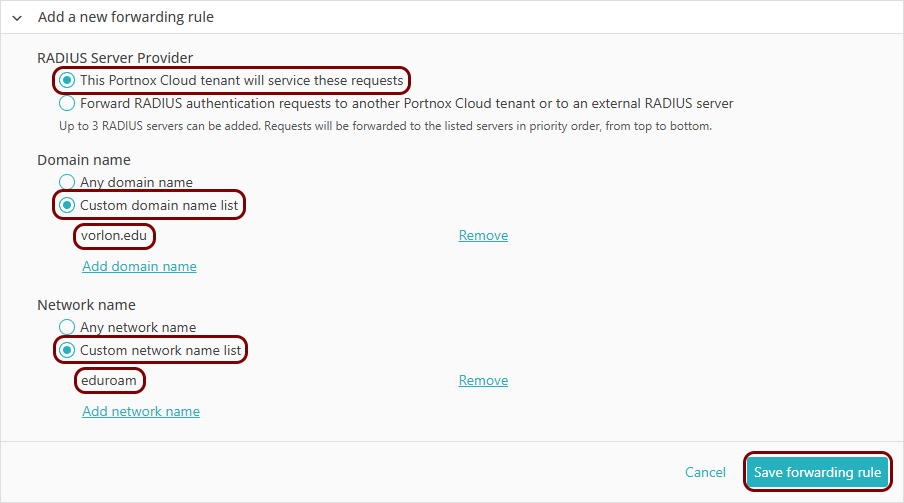
Result: Your RADIUS server and eduroam configurations are now ready. You can continue with any other tasks required to set up your environment in Portnox Cloud, as described in: Quick start steps with RADIUS/NAC.