
Set up multi-factor authentication for TACACS+
In this topic, you will learn how to set up multi-factor authentication (MFA) for the Portnox™ Cloud TACACS+ service with AgentP, Okta Verify, or Cisco Duo.
Before you begin:
-
Set up the local TACACS+ service (see the following topic: Quick start steps with TACACS+).
-
Assign a TACACS+ policy to the group. The policy must match your NAS devices (see the following topic: Assign policies to a group).
-
Make sure that users can authenticate with a password through your authentication repository. TACACS+ doesn’t work with accounts that are based only on external IdPs or certificates, because TACACS+ itself is credential-based.
Use AgentP for TACACS+ MFA
In this section, you will learn how to configure Portnox Cloud to send TACACS+ MFA requests to the AgentP installations of users in a group.
-
In the Cloud portal top menu, click on the Groups option.

-
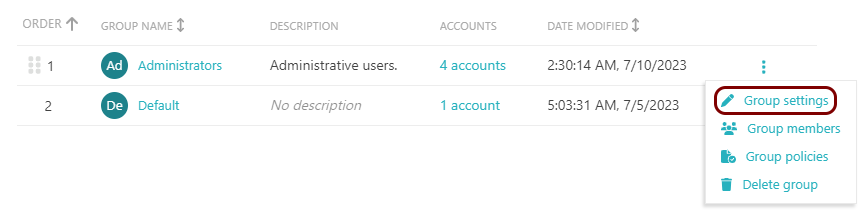
Click on the ⋮ icon next to the group name and select the Group
settings option.
-
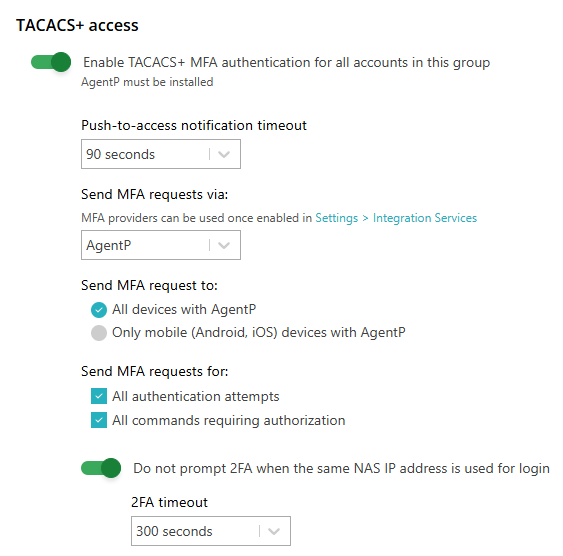
In the TACACS+ access section, configure MFA:
-
To save your group settings, click on the Save button on the bottom right of the page.
Use Okta Verify for TACACS+ MFA
In this section, you will learn how to configure Okta and Portnox Cloud to send TACACS+ MFA requests as Okta Verify push notifications to users in a group.
Before you begin:
-
Integrate Okta as your authentication repository (see the following topic: Integrate with Okta Workforce Identity). Only Okta users can use this option.
-
Make sure users have Okta Verify enrolled on their Android or iOS devices.
-
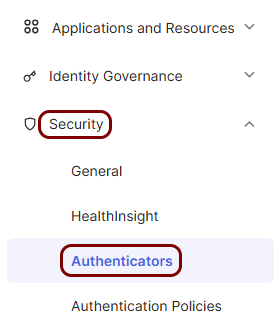
In the Okta Admin Console, in the left-hand menu, click on .
-
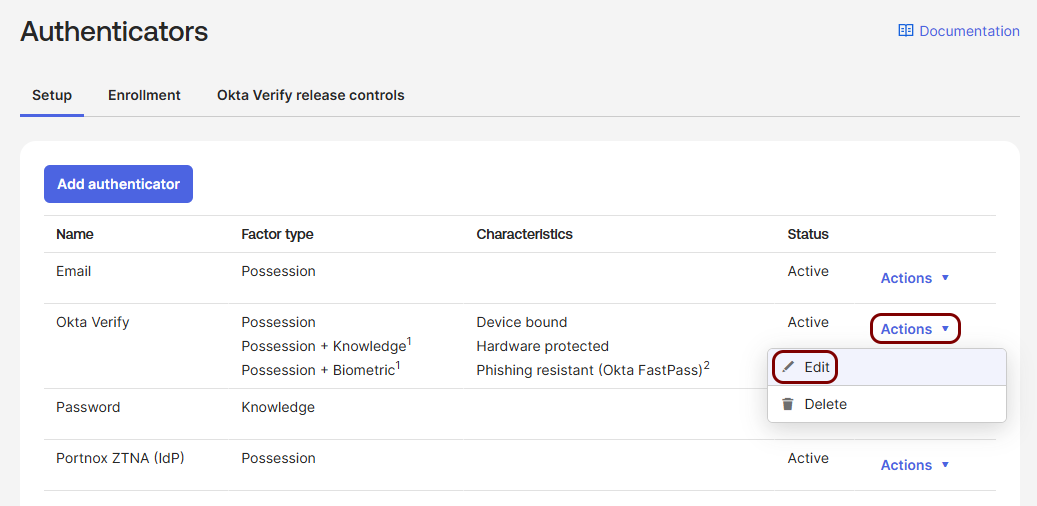
In the Authenticators page, in the Okta Verify row, click on .
-
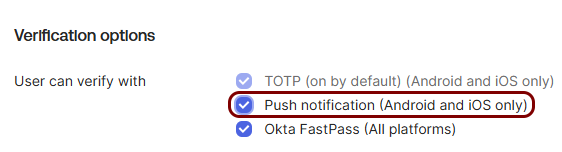
In the Okta Verify pane, turn on push notifications:
-
In the Cloud portal top menu, click on the Groups option.
-
Click on the ⋮ icon next to the group name and select the Group
settings option.
-
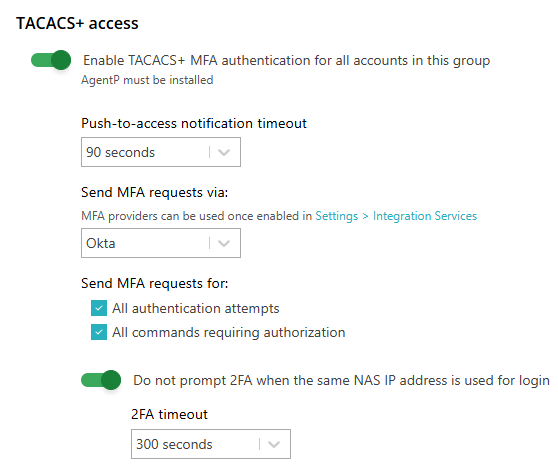
In the TACACS+ access section, configure MFA:
-
To save your group settings, click on the Save button on the bottom right of the page.
Use Cisco Duo for TACACS+ MFA
In this section, you will learn how to configure Cisco Duo and Portnox Cloud to send TACACS+ MFA requests as Duo push notifications to users in a group.
Before you begin:
-
You need a Cisco Duo account with access to the Duo Admin Panel.
-
Add all users who will use TACACS+ MFA to Duo. Each Duo username must match the user’s TACACS+ username exactly, for example kosh@vorlon.com. If it doesn’t, Portnox Cloud reports that the account is not a Cisco Duo account.
-
Make sure each user has a phone or tablet added in Duo and activated in the Duo Mobile app.
-
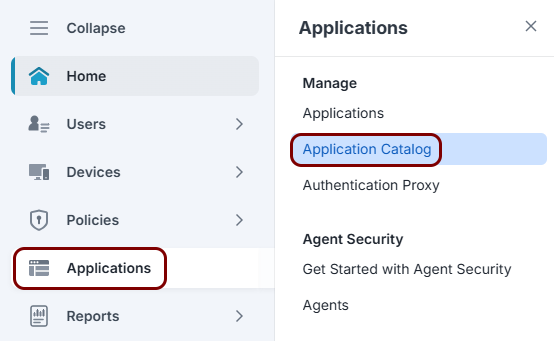
In the Duo Admin Panel, in the left-hand menu, click on .
-
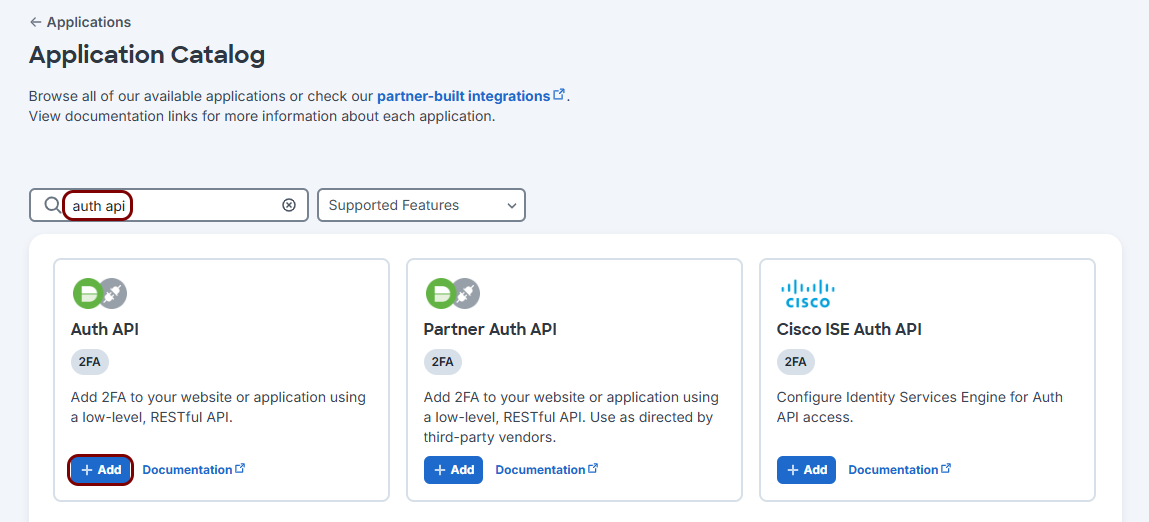
In the Application Catalog page, search for auth api and click on the
Add button on the Auth API tile.
-
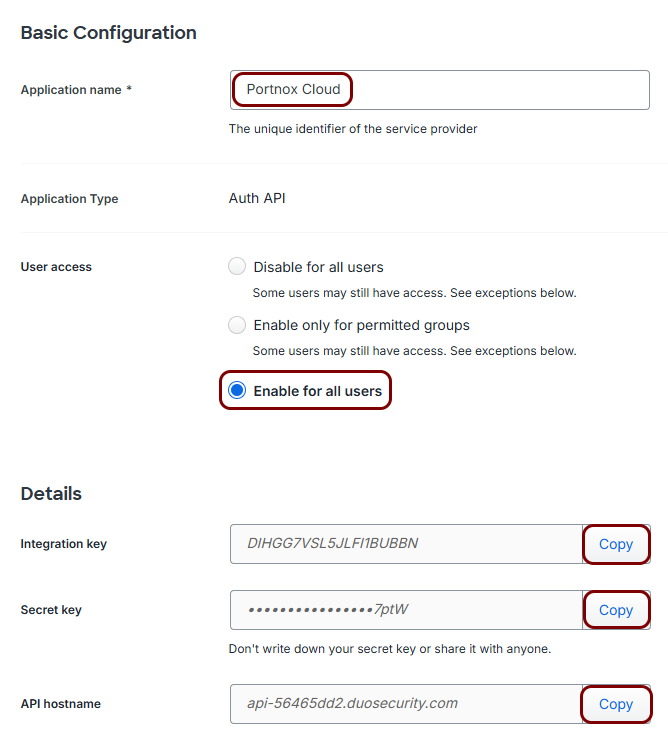
In the Auth API page, configure the application:
-
In Portnox Cloud, go to and configure the integration:
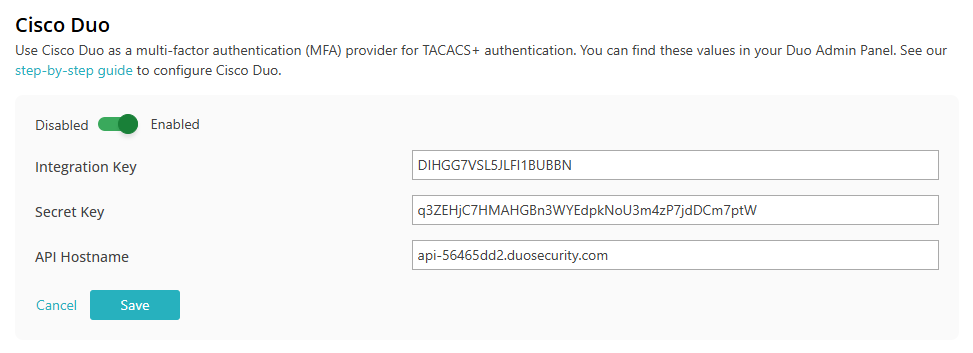
- Click on the Edit link and activate the switch.
- Paste the values from Duo into the Integration Key, Secret Key, and API Hostname fields.
- Click on the Save button.
-
In the Cloud portal top menu, click on the Groups option.
-
Click on the ⋮ icon next to the group name and select the Group
settings option.
-
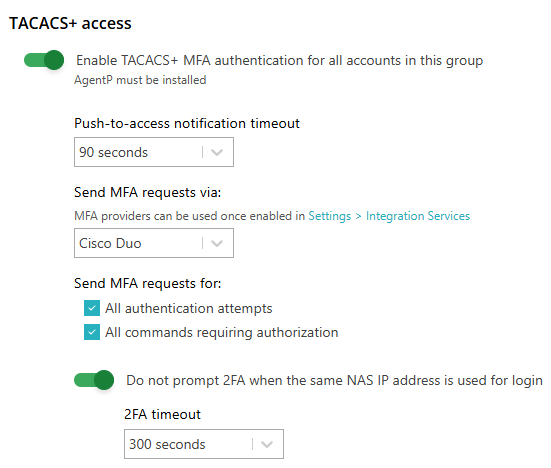
In the TACACS+ access section, configure MFA:
-
To save your group settings, click on the Save button on the bottom right of the page.