Ethernet 802.1X configuration – Cisco Meraki
In this topic, you will learn how to configure Cisco Meraki switch ports to work together with Portnox™ Cloud and 802.1X RADIUS authentication for wired Ethernet connections.
Important:
This guide gives general instructions for integrating Portnox Cloud with
specific third-party devices. We try to provide useful examples for common models, but settings can differ between
manufacturers, models, and environments. Because of this, we cannot guarantee these steps will work in every case.
For questions or problems with RADIUS setup – which is an industry standard and not specific to Portnox – or with
device-specific settings and troubleshooting, we recommend checking the device manufacturer’s documentation and contacting
their support team. Portnox Support can help when possible, but detailed setup of third-party devices is usually best
handled by the manufacturer. We also recommend updating your NAS device firmware to the latest version, as old
firmware can cause issues.
Important:
All values in this configuration are examples. Make sure to adjust the
configuration to your individual profile names, RADIUS server addresses, ports, and keys by replacing the values that are
presented as underlined italics.
Create an access policy
In this section, you will create an access policy for Portnox Cloud RADIUS servers that you will later apply to specific switch ports.
-
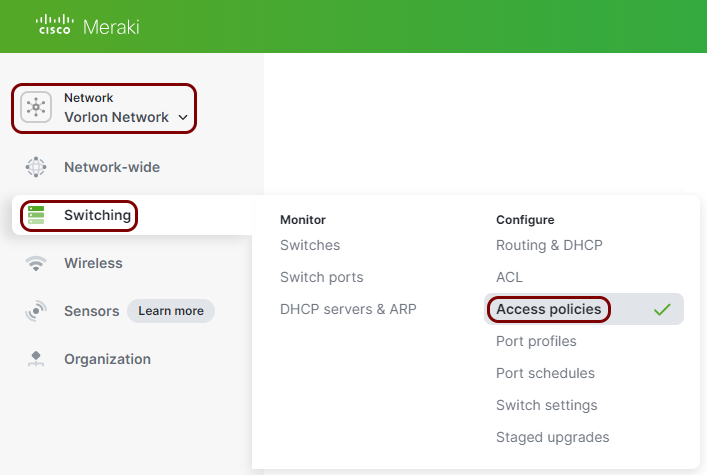
In the Meraki web interface, select your network, and then click on the menu option.
-
In the Access policies pane, in the top-right corner, click on the Add
policy button.
-
In the Name field, enter a name for this access policy, and in the Authentication
method field, select the RADIUS server option.
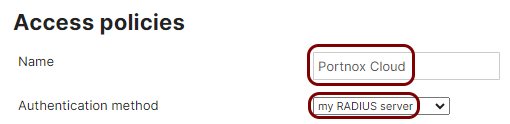
In this example, we used the name Portnox Cloud, but you can use any name you like.
-
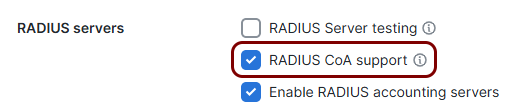
In the RADIUS servers section, activate the Enable RADIUS accounting
servers checkbox.

- Optional:
If you want to use RADIUS Change of Authorization (CoA) functionality, enable
the RADIUS CoA support checkbox.
Note:If you use local RADIUS for CoA, add the local RADIUS as one of the RADIUS servers in the next steps. If you use LDAP Broker for CoA, add the IP address of its installation as the last RADIUS server.
-
In the RADIUS servers section, click on the Add a server link to add
the Portnox Cloud RADIUS server.

-
In the Host field, enter the IP address of the Portnox Cloud
RADIUS server that you created earlier, in the first Port field, enter the
authentication port for this RADIUS server, in the Secret field, enter the shared secret for
this server, and in the second Port field, enter the accounting port for this RADIUS
server.

- Optional:
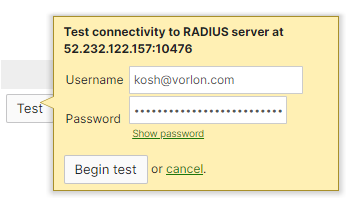
Click on the 🔌 button to open a pop-up and test the connectivity
to the server. Enter the credentials of an account that is registered in your Cloud in the
Username and Password fields, and then click on the
Begin test button.
- Optional:
Click on the 🔌 button to open a pop-up and test the connectivity
to the server. Enter the credentials of an account that is registered in your Cloud in the
Username and Password fields, and then click on the
Begin test button.
- Optional:
If you want to use DACLs in Portnox Cloud access control policies, in the RADIUS attribute specifying
group policy name, select the Filter-Id option.

- Optional:
In the Critical Auth VLAN section, in the Data and
Voice fields, enter the VLAN numbers that the device (data or voice) will be assigned to
if the RADIUS servers are not reachable at the moment.
 Note:If, for any reason, your NAS device is temporarily unable to connect to Portnox Cloud RADIUS servers, the client device attempting 802.1X authentication is assigned to this VLAN. This lets your network administrators maintain client connectivity to certain resources without compromising security in circumstances such as an Internet connection failure.Warning:As of September 2026, the Meraki critical auth VLAN functionality is no longer a beta feature. However, we recommend to be careful when using it on production systems. In the past, we found this feature to have had serious bugs, such as the inability to switch back to the expected VLAN once the RADIUS
 -
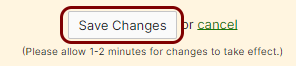
Click on the Save button to save your configuration.
Assign the access policy to switch ports
In this section, you will assign the access policy that you just created to specific switch ports on your Meraki switches.
-
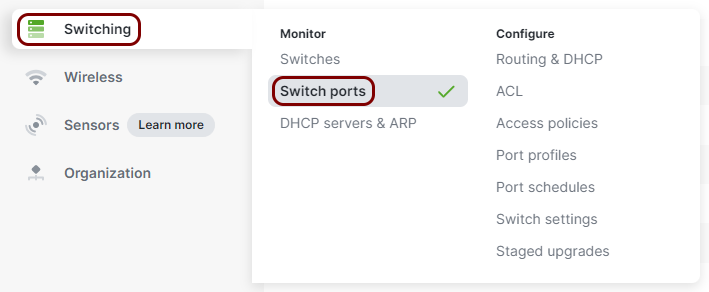
In the Meraki web interface, select your network, and then click on the menu option.
-
In the Switch Ports pane, find the port that you want to assign the policy to and click on its
name.
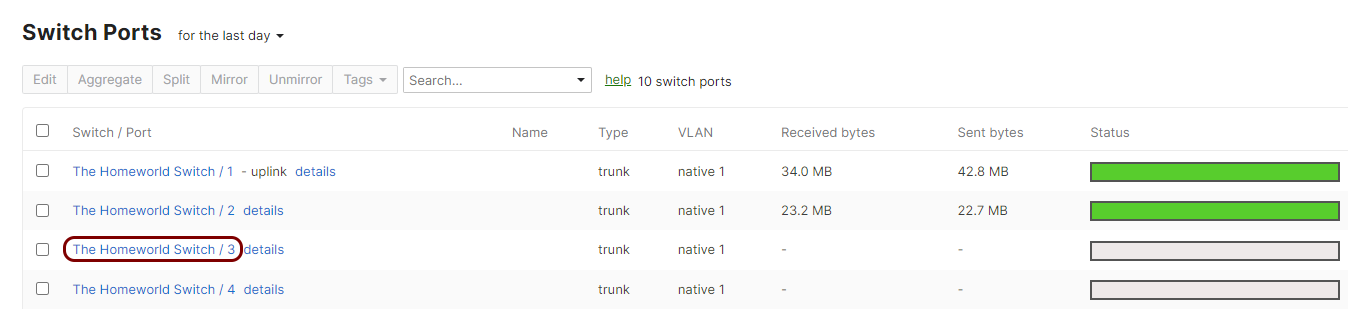
In the case of large number of switches/ports, you can use the search functionality to find the correct switch/port.
-
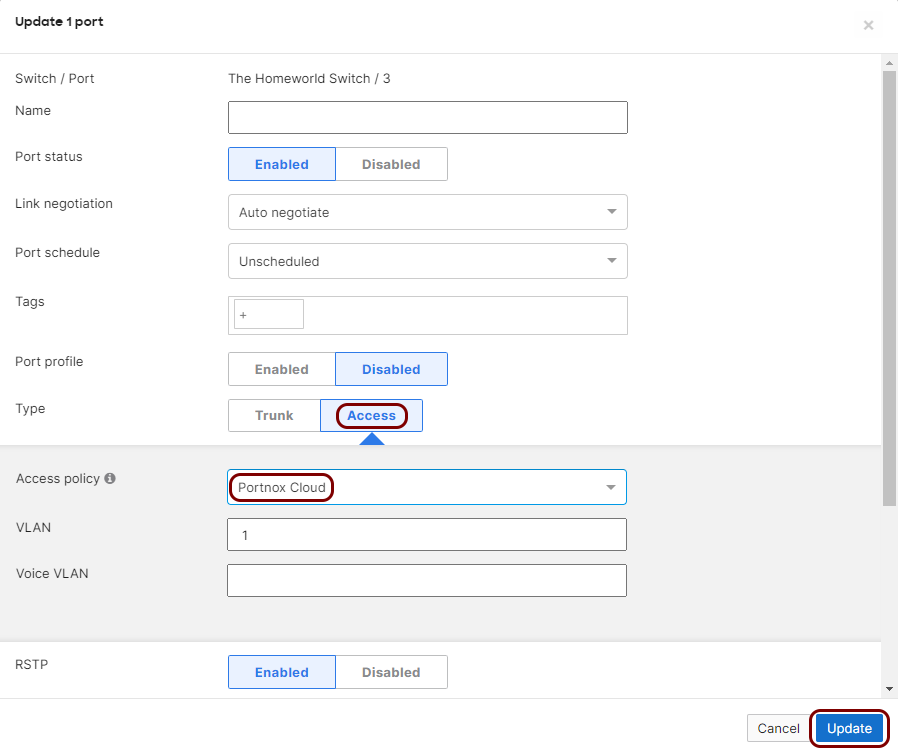
In the Update port pop-up, in the Type field, select the
Access option, in the Access policy field, select the access
policy that you just created, and then click on the Update button in the bottom-right corner
of the pop-up.