Integrate Paylocity with Zero Trust Network Access
In this topic, you will find general instructions on how to integrate Paylocity with Portnox™ Zero Trust Network Access.
Open your Paylocity SSO integrations page
In this section, you will access your Paylocity administrative interface and find the SSO integrations page.
-
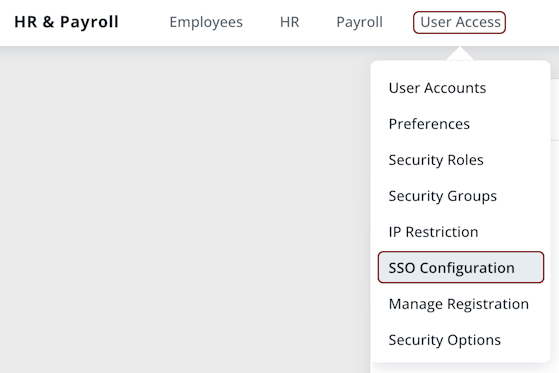
In the top menu, click on the User Access menu and then click on the SSO
Configuration option.
-
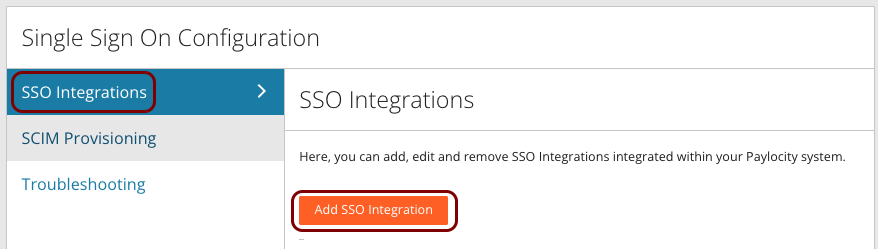
In the Single Sign On Configuration pane, click on the SSO
Integrations option on the left-hand side, and then click on the Add SSO
Integration button.
-
Note down the values of Company ID and Provider. You will need them
later.
Note:If your configuration screen does not let you select a Provider, note down P8000010 as its value.

Modify your identity provider configuration to support Paylocity
Paylocity SAML integration requires your identity provider to send additional values that identify your Paylocity account. You must change your existing identity provider configuration or create a copy of the identity provider configuration especially for Paylocity.
-
If you use Entra ID, open your Zero Trust Network Access application configuration and do the following
steps.
-
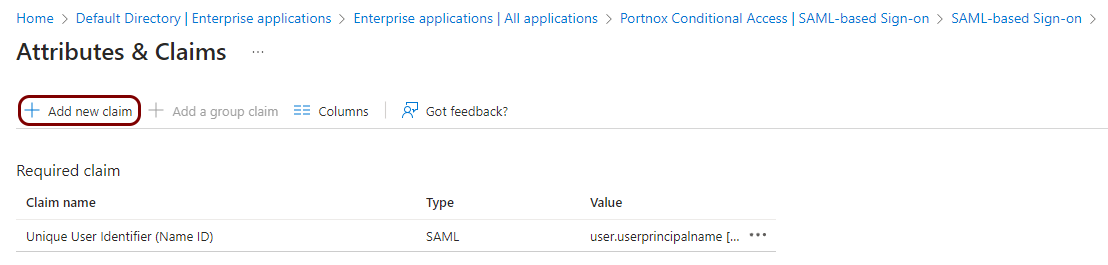
Open the Attributes & Claims pane () and click on the Add new claim button.
-
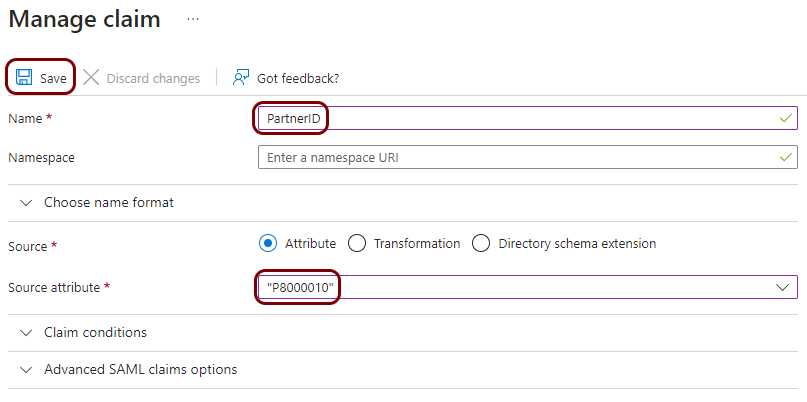
In the Name field, type PartnerID, and in the
Source attribute field, type the Provider identifier that
you noted down earlier. Then, click on the Save button.
-
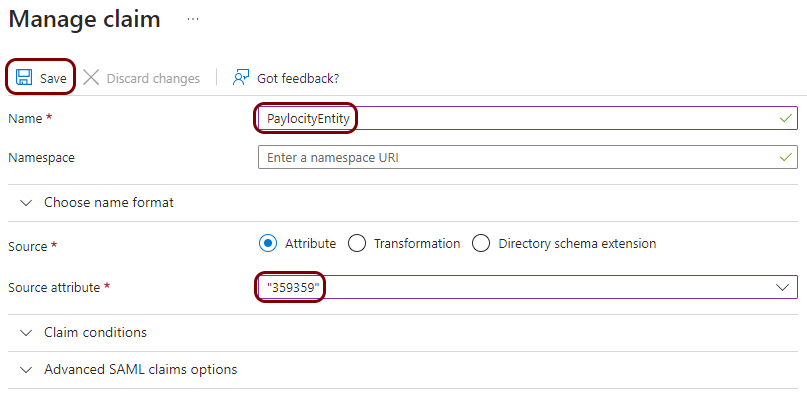
Click on the Add new claim button again to create another claim. In the
Name field, type PaylocityEntity, and in the
Source attribute field, type the Company ID identifier
that you noted down earlier. Then, click on the Save button.
-
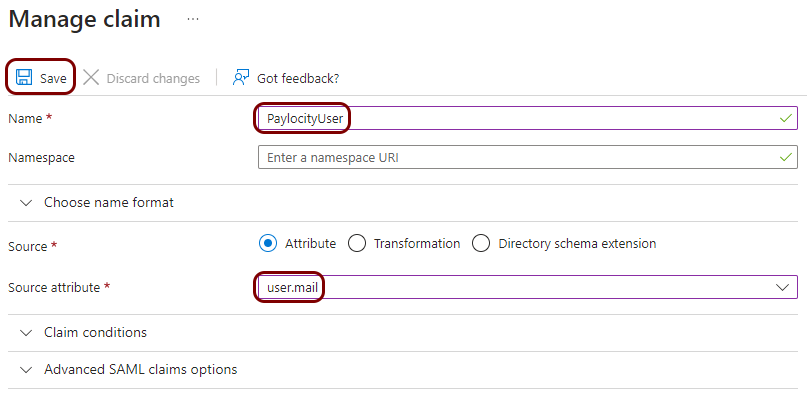
Click on the Add new claim button again to create another claim. In the
Name field, type PaylocityUser, and in the
Source attribute field, select user.mail from the list.
Then, click on the Save button.
-
Double-check if your claims include all of the above and that the Unique User Identifier (Name
ID) claim has the default value user.userprincipalname.
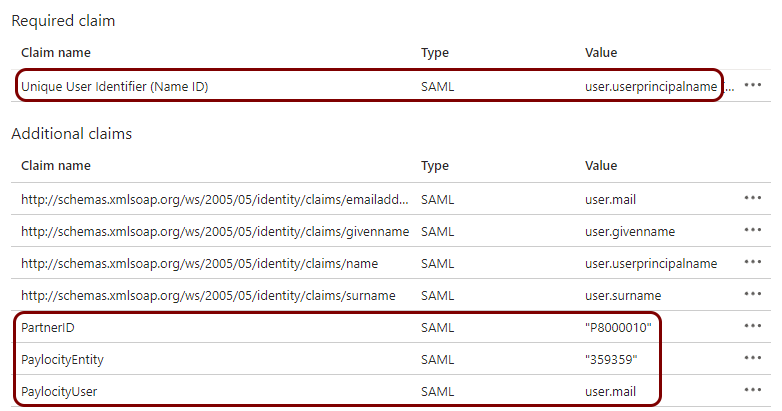 Note:You may have additional attribute mappings in this configuration. They will not influence the integration with Paylocity.
-
Open the Attributes & Claims pane () and click on the Add new claim button.
-
If you use Google Workplace, open your configuration and do the following steps.
Note:Google Workspace does not support static attributes. To send the same values for every user, you have to add a custom field to your user directory and set the same value for every user.
-
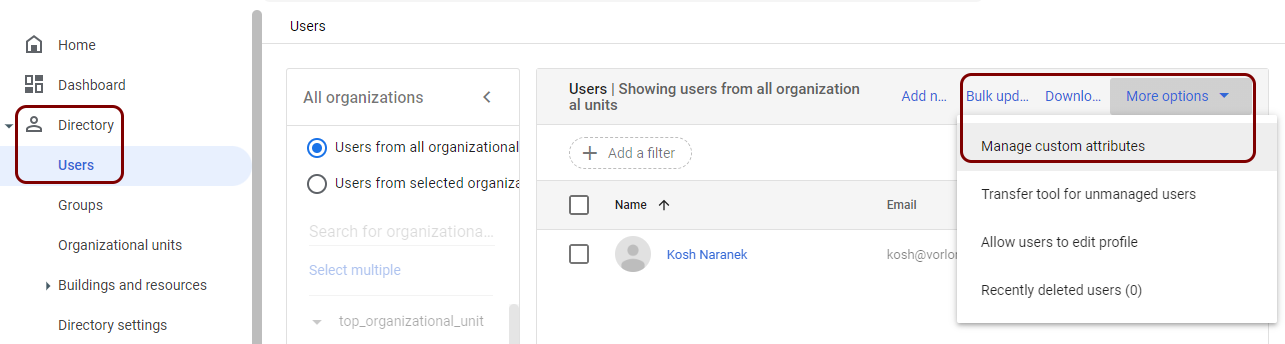
In Google Admin Console, go to . Then, click on the More options button, and select the
Manage custom attributes option.
-
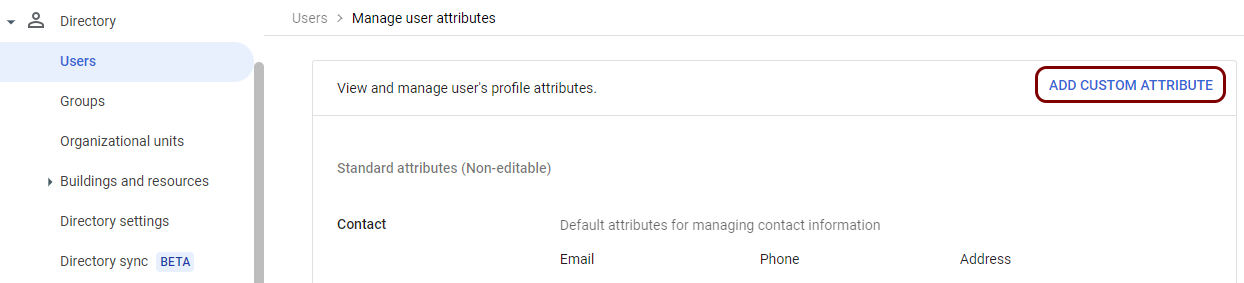
Click on the ADD CUSTOM ATTRIBUTE link.
-
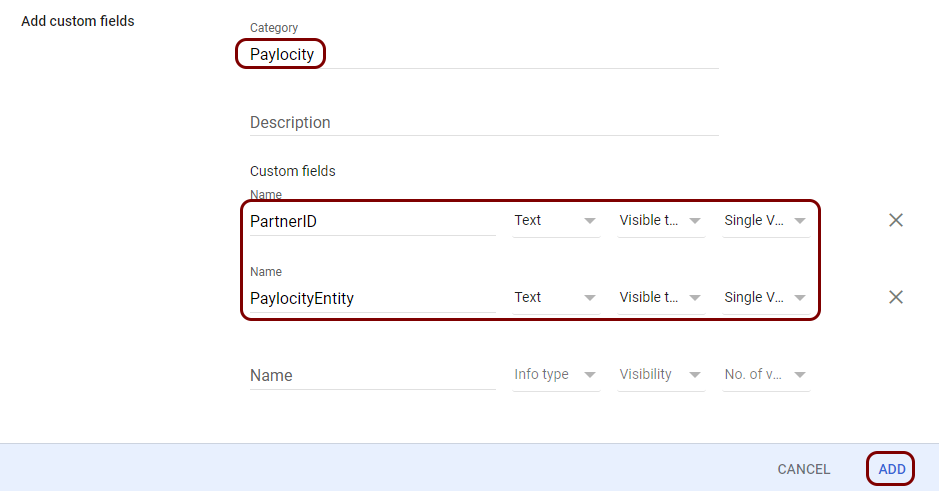
In the Add custom fields pane, enter a Category (for example,
Paylocity) and add two attributes: PartnerID and
PaylocityEntity. In both cases, select Info type as
Text, Visibility as Visible to user and
admin, and No. of values to Single Value.
Then, click on the ADD button.
-
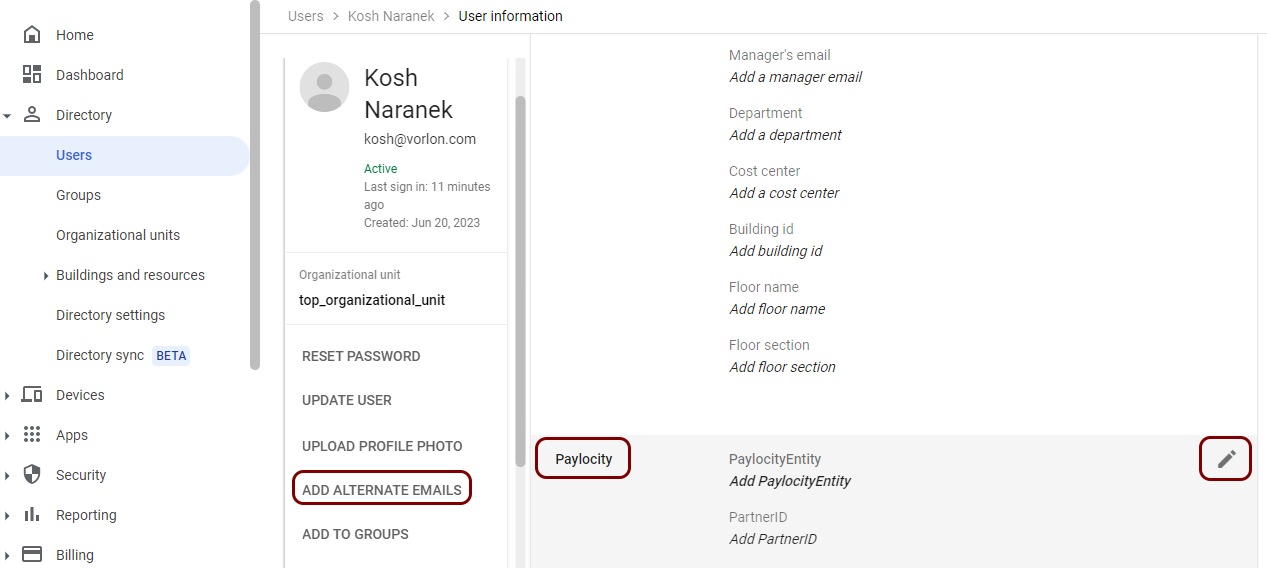
Go back to the list of users. Then, open a user that needs access to Paylocity, click on the ADD
ALTERNATE EMAILS option, and scroll down to the category you added in the previous step.
Then, click on the ✎ icon to edit the values.
-
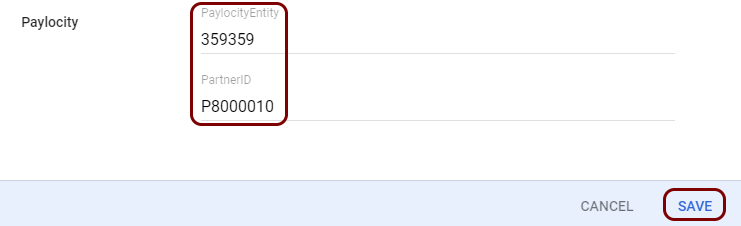
In the PaylocityEntity field, enter the value of Company ID
noted down earlier, and in the PartnerID field, enter the value of
Provider noted down earlier. Then, click on the Save
button.
-
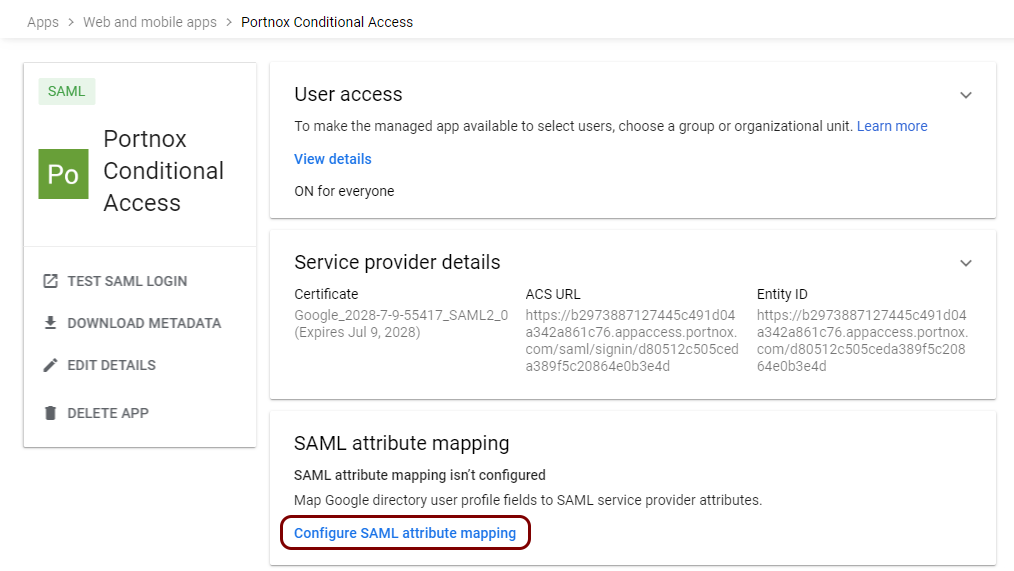
Open the SAML attribute mapping pane (.
-
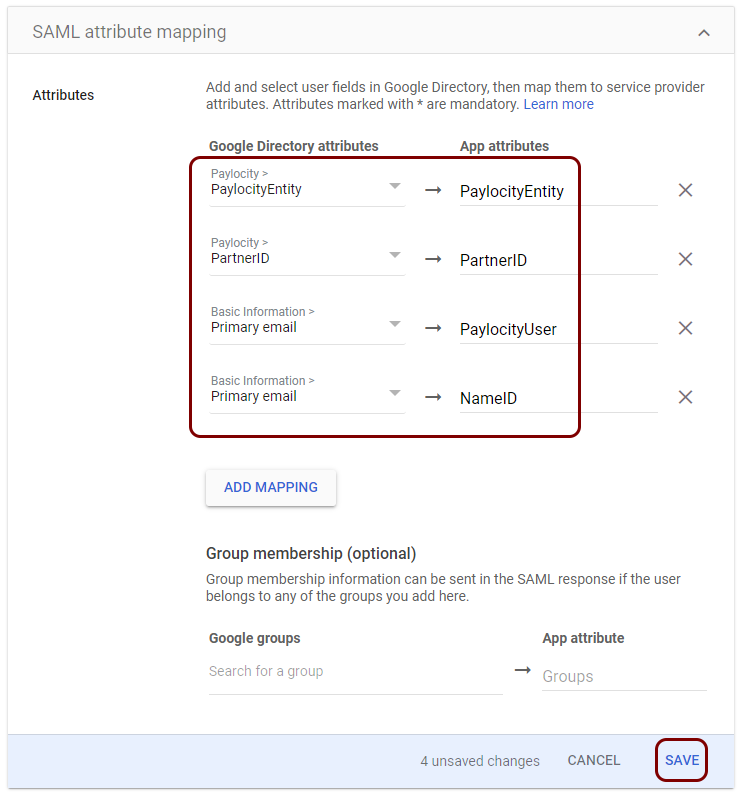
Click on the ADD MAPPING button four times and add the following mappings:
Paylocity > PaylocityEntity to
PaylocityEntity, Paylocity > PartnerID to
PartnerID, Primary email to
PaylocityUser, and Primary email to
NameID. Then, click on the Save button.
 Note:You may have additional claims in this configuration. They will not influence the integration with Paylocity.
-
In Google Admin Console, go to . Then, click on the More options button, and select the
Manage custom attributes option.
Create a Portnox Cloud application configuration
In this step, you will create a configuration in Portnox Cloud that will contain all the information necessary to integrate with Paylocity.
-
In the Cloud portal top menu, click on the Zero Trust Resources option.

-
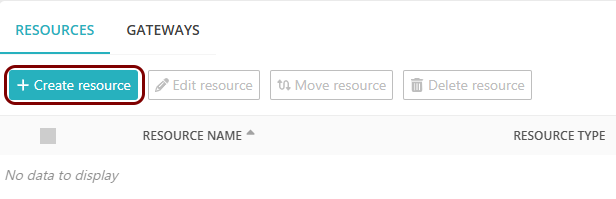
On the Resources screen, click on the Create resource button.
-
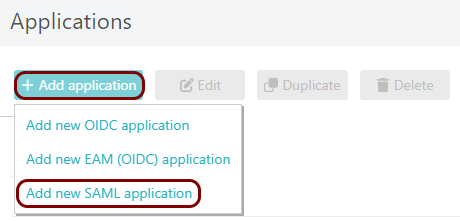
In the Authentication protocol section, select the SAML
option.
-
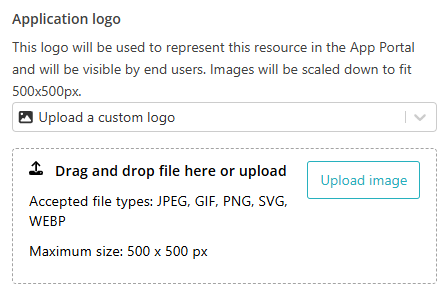
In the Application logo section, select one of the logos from the list, or select
the Upload a custom logo option and then click on the Upload
image button to upload a logo for the application.
The logo is used in the Secure Access Portal.
-
In the Authentication protocol section, select the SAML
option.
-
In the Resource details section, enter a Resource
name and optionally a Description.
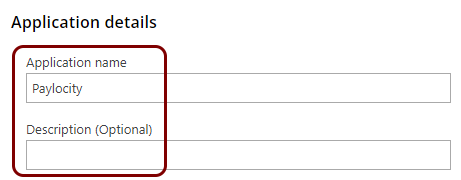
In this example, we used the name Paylocity for the new application configuration but you can use any name you like.
Export metadata from the Portnox tab and upload it in the Paylocity tab
In this section, you will export the metadata from Portnox Cloud into a file and upload that file in the Paylocity SAML configuration section.
-
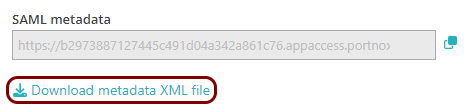
In the Portnox tab, in the SAML metadata section, click on the Download metadata
XML file link to download the XML file and save it to your local drive.
-
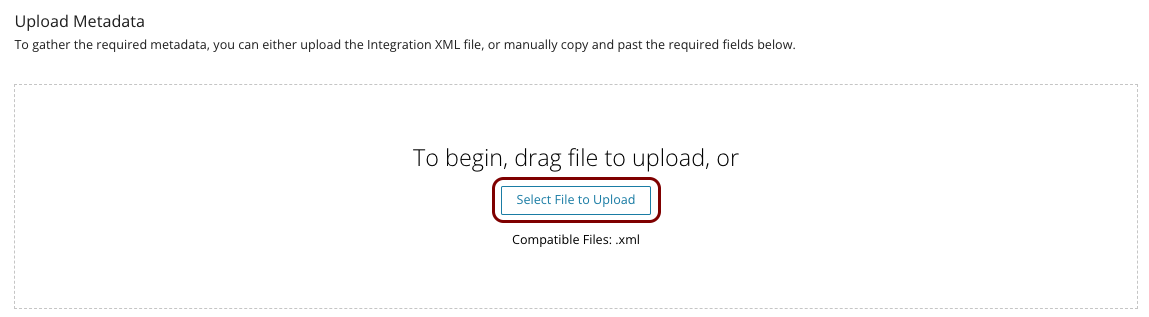
In the Paylocity tab, click on the Select File to Upload button in the Upload
Metadata section, and then upload the XML file downloaded from Portnox Cloud.
Enter configuration values in the Portnox tab
In this section, you will enter configuration values in the relevant fields in Portnox Cloud.
-
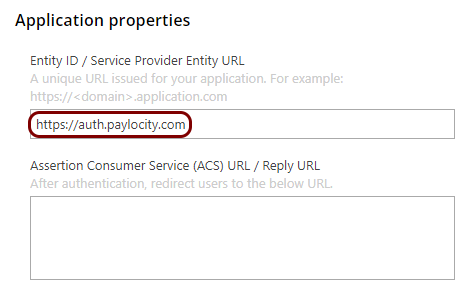
In the Portnox tab, in the Resource properties section, click on the empty field under the
Entity ID / Service Provider Entity URL heading and enter the following value:
https://auth.paylocity.com.
-
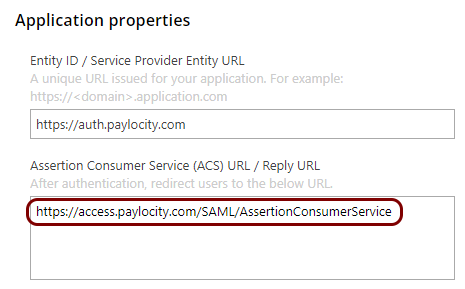
In the Portnox tab, in the Resource properties section, click on the empty field under the
Assertion Consumer Service (ACS) URL / Reply URL heading and enter the following value:
https://access.paylocity.com/SAML/AssertionConsumerService.
-
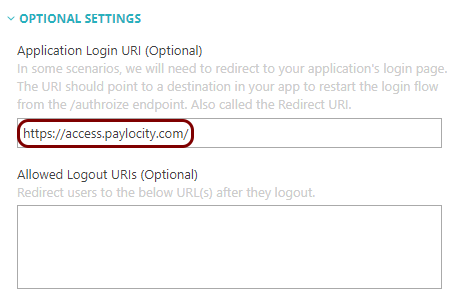
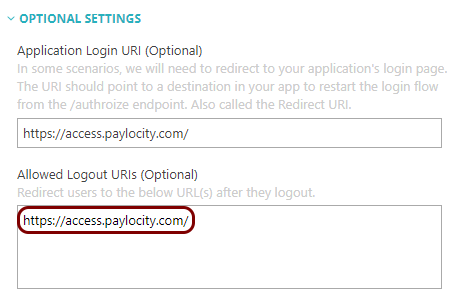
Click on the OPTIONAL SETTINGS link to open optional settings. Click on the empty field
under the Application Login URI (Optional) heading and enter the following value:
https://access.paylocity.com/.
-
Click on the empty field under the Allowed Logout URIs (Optional) heading and enter the
following value: https://access.paylocity.com/.
Finalize the configuration
In this section, you will finalize the configuration in Portnox Cloud and Paylocity.
-
Finalize the configuration in the Portnox tab.
-
In the OPTIONAL SETTINGS section, in the Certificate signing
option field, select the Sign SAML assertion and response
option.

-
Scroll all the way down to the end of the page, and then click on the Add resource
button.
-
In the OPTIONAL SETTINGS section, in the Certificate signing
option field, select the Sign SAML assertion and response
option.
-
Finalize the SAML configuration in the Paylocity tab.
-
Click on the Save button.
-
Click on the Save button.
Result: You have configured Paylocity to be accessible using Portnox Zero Trust Network Access.
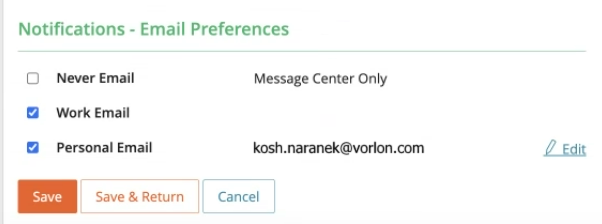
If the user ID in Paylocity is the same as the user name in the identity provider directory, but your users still cannot log in, add the user’s company email in their Paylocity profile as Work Email or, if not possible, as Personal Email.